

Using QuarkXPress 2021 Badia XTensions with QuarkXPress 2022
According to our tests, all Badia XTensions originally developed for QuarkXPress 2021 are compatible
with the latest QuarkXPress 2022 (no paid upgrade will be necessary).
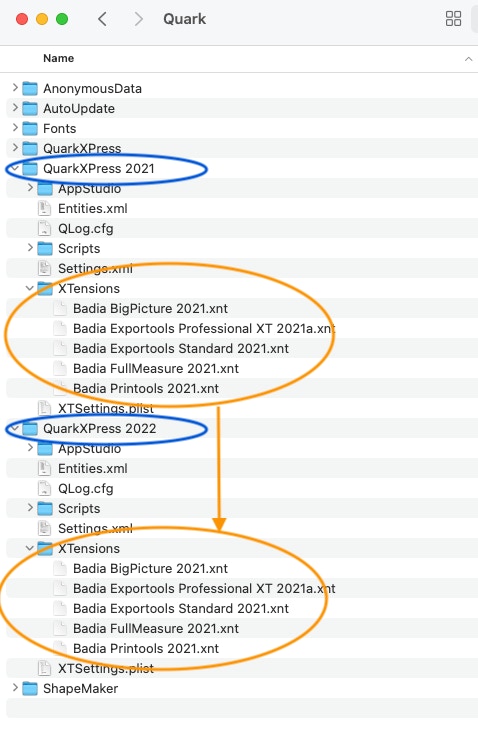
We will be working on updating the installers, but until they are released, here’s a guide to manually copy the XTensions
and use them with QuarkXPress 2022:
User Library > Application Support > Quark
1. Quit QuarkXPress 2021 and QuarkXPress 2022.
2. Locate the XTensions folders in the Finder:
3. Open QuarkXPress 2022. You should be able to use the XTension(s) you previously copied same way as with QuarkXPress 2021.
©1998–2022 Badia Software
All rights reserved.